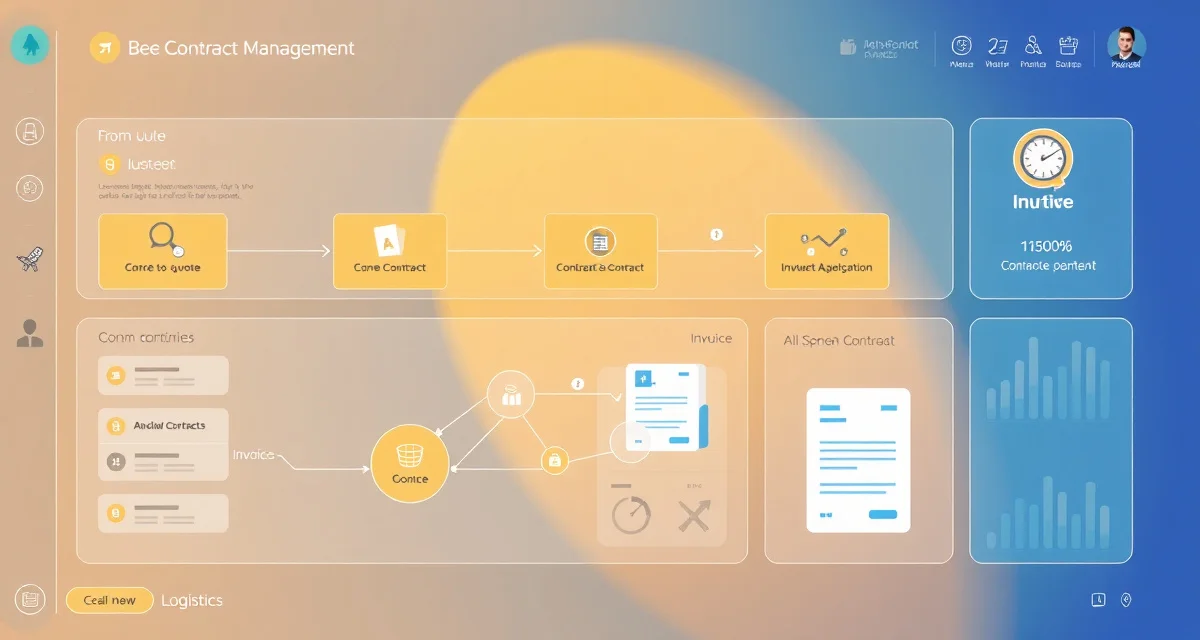
PollenOps Contract Module: From Quote to Invoice in One Platform
The contract module eliminates the spreadsheet + email + QuickBooks combination that wastes 15 hours per week. PollenOps generates grower-ready invoices automatically from delivery records. The contract lifecycle runs entirely in one place (quote, negotiation, execution, delivery tracking, and invoice) with no handoffs between systems.
This is a feature-by-feature walkthrough of the PollenOps contract module.
TL;DR
- A well-written pollination contract covers hive strength requirements, payment terms, delivery/removal windows, pesticide liability, and dispute resolution.
- Standard payment structure is 50% on delivery and 50% on removal; push for no longer than 14-day net on the back half.
- Hive strength disputes are the most common source of non-payment; third-party inspection at delivery is the cleanest resolution.
- Pesticide kill provisions should require grower notification 24-48 hours before any application within foraging range of placed hives.
- Contracts signed by November have stronger pricing leverage than those negotiated in December or January.
Quoting
The quote builder generates a professional proposal for a grower before a contract is formally agreed.
What the quote includes:
- Your operation name and contact information
- Proposed hive count, strength minimum, and crop
- Per-hive rate and total contract value
- Delivery timing and estimated duration
- Standard terms (subject to final contract)
How to create a quote:
- Go to Contracts > New Quote
- Enter grower details and crop information
- Set your proposed terms
- Generate a formatted PDF or send directly through the grower portal
- Track quote status (sent, viewed, pending response)
The quote module shows you which quotes have been opened by the grower (via the portal) and which haven't. You know whether to follow up.
When a grower accepts a quote, it converts to a draft contract in one click without re-entering data.
Contract Creation and Execution
The contract builder uses your accepted quote as the foundation. You add any additional terms and send for execution.
Standard contract fields:
- Parties (beekeeper and grower names, addresses)
- Services: hive count, minimum strength, crop, placement location
- Delivery window (dates or bloom percentage)
- Grower obligations: water access, pesticide notification
- Compensation: per-hive rate, total value, payment terms
- Remedies: below-minimum credit rate, replacement timeline
- Cancellation: deposit terms, notice requirements
- Force majeure: language covering weather and crop failure
E-signature:
Both parties can sign the contract digitally through PollenOps. The signature is timestamped and legally equivalent to a wet signature for commercial purposes. Growers who aren't on PollenOps receive an email link to review and sign.
Document attachment:
If you negotiate a paper contract separately, you can upload a signed PDF and attach it to the contract record. Historical paper contracts from before you joined PollenOps can be archived the same way.
Contract Status Tracking
Once executed, each contract moves through a status pipeline:
Draft → Quoted → Executed → Active → Complete → Archived
Your contract dashboard shows all contracts sorted by status and delivery date. At a glance, you can see:
- How many contracts are pending delivery
- Which are currently active (hives in the field)
- Which are awaiting payment
- Which are overdue on payment
The dashboard is filtered by status, crop, grower, or date range. Finding a specific contract takes seconds.
Pre-Move Assessment Integration
Before a delivery, the contract links to your pre-move strength assessment. When you run assessments in your yards, PollenOps compares each colony's score against the contract minimum.
Non-compliant colonies are flagged in the contract record automatically. You see the compliance status before you load:
- X colonies assessed
- Y colonies at or above minimum
- Z colonies flagged for exclusion
The pre-move assessment record is stored permanently as part of the contract documentation. It becomes part of your grower portal record.
Delivery Recording
On delivery day, recording the delivery in PollenOps takes 60-90 seconds:
- Open the contract
- Click Record Delivery
- Confirm or adjust the hive count (default is the contracted count)
- GPS coordinates are captured automatically
- Timestamp is recorded automatically
- Add any delivery notes (access issues, weather conditions, grower present or absent)
The delivery record is immediately visible to your grower in their portal. No phone call needed to confirm arrival.
Grower Communication Log
All communications sent through PollenOps are logged in the contract record. When you send a message about delivery timing, strength documentation, or any contract matter, it's attached to the contract with a timestamp.
This replaces email threads that live outside the contract record. When a dispute arises 6 months later, all relevant communications are in the contract timeline, not scattered across email folders and text threads.
Invoice Generation
When a delivery is recorded and the contract period ends, invoicing is one click:
- Open the completed contract
- Click Generate Invoice
- Review the auto-populated invoice (hive count from delivery record × rate from contract = total)
- Adjust if needed (partial delivery, strength credits)
- Send via PollenOps or export as PDF for email
The invoice references the contract terms, delivery record, and delivery timestamp automatically. The grower receives an invoice that's backed by all the supporting documentation, which reduces disputes.
Payment is recorded against the invoice when received. Overdue invoices are flagged in the dashboard.
For pollination contract invoicing automation and the full PollenOps contract workflow, see the contract module documentation in the help center.
The pollination contract software overview covers how the contract module connects to the rest of the PollenOps platform.
Frequently Asked Questions
How does the PollenOps contract module generate quotes?
Go to Contracts > New Quote, enter the grower's details, crop, proposed hive count and strength minimum, per-hive rate, and delivery timing. PollenOps generates a formatted proposal PDF or sends it directly to the grower through the portal. The quote tracks status (sent, viewed, accepted) and converts to a draft contract in one click when accepted, without re-entering any data. The quote builder is designed around the standard terms of a commercial pollination agreement so you're not starting from a blank form. Quotes can be sent to multiple growers for the same season window to compare acceptance rates.
Can PollenOps send automated invoices to growers?
Yes, with one click. When a delivery is recorded and the contract period is complete, the invoice generates automatically from the delivery record data and contract terms. The hive count comes from your delivery record; the rate comes from your contract. The math is automatic. You review the generated invoice, adjust if needed for any deductions or credits, and send it to the grower through the platform or export as PDF. You can also set up payment reminders that fire automatically when an invoice is approaching or past its due date. The automation eliminates the 30-60 minutes of manual invoice preparation that paper-based operations spend per grower per season.
How does PollenOps track contract status for multiple simultaneous deals?
The contract pipeline dashboard shows all contracts sorted by status (drafted, quoted, executed, active, complete, payment pending) and by delivery date. You can filter by crop, grower, status, or date range. Each contract's current status is visible at a glance without opening the individual record. When an invoice is overdue, it's flagged in the pipeline. When a pre-move assessment shows non-compliant colonies on a contract due for delivery, the contract is flagged with a risk indicator. For operations managing 40-100 simultaneous contracts during almond season, the pipeline view is the primary daily management tool that shows what needs attention and what's on track.
What are the most common clauses in a commercial pollination contract?
A standard commercial pollination contract covers: hive strength minimums at delivery, payment terms (typically 50% on delivery, 50% on removal), delivery and removal dates, pesticide notification requirements, liability provisions for colony losses, truck access and yard location details, and dispute resolution procedures. Force majeure clauses addressing crop failure and operator inability to deliver the full hive count are also standard in well-written contracts.
How should pesticide liability be addressed in pollination contracts?
The contract should require growers to notify operators at least 24-48 hours before any pesticide application within foraging range (2-3 miles), specify the operator's right to remove hives immediately upon notification, and define liability for documented colony losses attributable to pesticide exposure. Without this clause, recovering compensation for pesticide kills requires proving causation after the fact, which requires lab testing, communication records, and timestamped photos of dead bees collected before cleanup.
What is a typical contract renewal strategy for commercial beekeepers?
Most successful commercial operators begin renewal conversations with existing growers in July, confirming the coming season's hive count and rate before new grower outreach. Existing grower relationships command better pricing stability than new contracts and require less pre-season sales effort. Sending growers a season-end report documenting hive placements and colony performance reinforces the relationship and creates a natural opening for renewal discussion.
Try These Free Tools
Sources
- USDA Agricultural Research Service
- Bee Informed Partnership
- American Beekeeping Federation (ABF)
- American Honey Producers Association
- Project Apis m.
Get Started with PollenOps
Managing pollination contracts across multiple growers and crops is where most commercial operations have the most to gain from better systems. PollenOps centralizes contract lifecycle management from initial quote through signed agreement, delivery documentation, and final invoice. Try it for your next season.