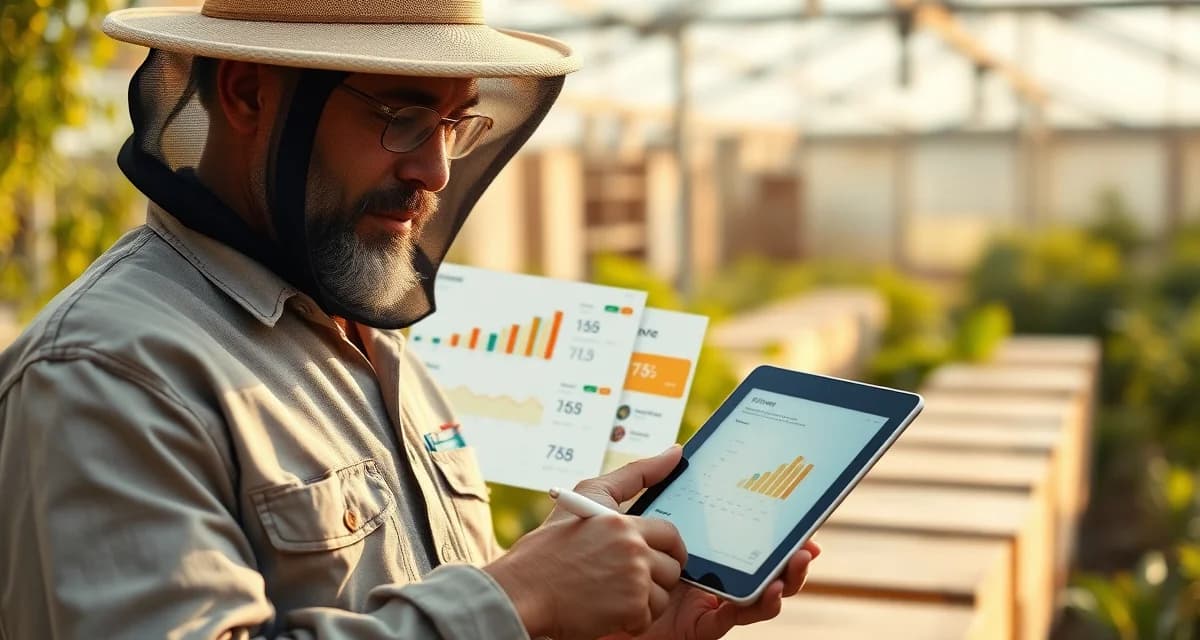
PollenOps Grower Portal: Transparency for Your Clients
Growers with portal access initiate disputes 65% less often than those who rely on phone communication. The reason is simple: growers who can see their data don't need to guess about it. Questions about hive counts, delivery timing, and placement location are answered before the grower picks up the phone.
The PollenOps grower portal gives your clients read-only access to their contract data. It's free for all PollenOps customers, and it requires no separate account setup from the grower's side.
TL;DR
- Commercial beekeeping operations that manage contracts on spreadsheets and phone calls spend 5-10 hours per week on administrative tasks that software handles automatically.
- Purpose-built beekeeping software centralizes contract lifecycle management, yard records, health documentation, and fleet logistics in one platform.
- The primary ROI drivers for operations software are fewer contract disputes, faster invoicing, and reduced time spent on administrative coordination.
- PollenOps is built specifically for commercial-scale pollination operations; it is not a hobbyist platform adapted for commercial use.
- Moving from spreadsheets to dedicated software typically pays for itself within one season in time savings and dispute prevention.
What the Grower Portal Shows
Your grower gets a clean, read-only dashboard specific to their contract. They see:
Contract summary:
- Contracted hive count and minimum strength requirement
- Delivery date and planned pickup date
- Per-hive rate and total contract value
- Payment schedule and current payment status
Delivery records:
- Actual hive count delivered vs. contracted
- GPS placement map showing where hives are in their orchard
- Delivery timestamp
- Pre-move strength assessment summary
colony health data (if enabled):
- Average strength score at delivery
- Any assessment notes you've chosen to share
- Alert notifications for issues you want them to know about
Communication log:
- Any messages you've sent through the PollenOps platform
- A record of grower portal activity (so you know they've seen the data)
Why This Reduces Disputes
The invoice disputes in paper-and-phone operations almost always follow the same pattern: the grower believes fewer hives were delivered than contracted, or that hive strength was below minimum. Without documentation, both parties argue from memory.
The grower portal changes this dynamic completely. When a grower accesses the portal after delivery and sees timestamped GPS data and a strength assessment record, there's nothing to dispute. The data is already there. The delivery happened. The count is documented.
Growers can't claim they didn't know the delivery was short when the portal shows the exact count. They can't claim hives were below strength when your pre-move assessment records are visible. This isn't confrontational. It's transparent. And transparency prevents the misunderstandings that become disputes.
Setting Up a Grower Portal
Portal access is free for all PollenOps customers. You don't pay extra, and your grower doesn't need a PollenOps subscription.
To set up a portal for a grower:
- Open the contract in PollenOps.
- Click Grower Portal Access.
- Enter your grower's email address.
- Select which data to share (you can restrict health data or other sensitive information if preferred).
- Click Send Invite.
Your grower receives an email with a secure login link. They create a simple password, and they have read-only access to their specific contract data. They can't see any other contracts in your system.
You control what they see. If you want them to see delivery records but not health monitoring data, you can configure that. The default is to share everything related to their contract.
For setup details and integration with pollination contract management software, the PollenOps help center has a complete portal configuration guide.
Does the Portal Replace Paper Confirmation?
The grower portal provides digital delivery confirmation that is timestamped and GPS-documented, which is more reliable than a paper delivery slip in most scenarios.
That said, some growers or some contracts may still require a physical signature at delivery. PollenOps supports this workflow: you can record a delivery digitally in the platform, have the grower sign a paper receipt, and attach a photo of the signed receipt to the delivery record.
The portal can also function as electronic acknowledgment. When a grower views their delivery record in the portal and it shows the correct count and location, their access log creates an implicit acknowledgment. For most commercial operations, this is sufficient.
For contracts that specifically require signed paper confirmation, PollenOps doesn't replace that requirement, but it augments it with digital records that provide additional documentation.
The Trust-Building Effect
Beyond dispute prevention, the grower portal changes the nature of your grower relationships. Growers who can see their data feel like professional clients, not customers calling in the dark hoping their beekeeper shows up.
That transparency is worth money. Beekeepers using the grower portal consistently report:
- Higher contract renewal rates year over year
- Fewer renegotiation attempts at renewal (growers who saw good data don't renegotiate hard)
- Stronger referrals to other growers in the same area
- Easier premium pricing conversations (growers who see professional documentation expect to pay professional rates)
The grower-facing pollination report features in PollenOps extend this further by giving your clients a formal season-end summary they can use in their own crop records.
Frequently Asked Questions
How do I set up a grower portal for my client in PollenOps?
Open the relevant contract in PollenOps, click Grower Portal Access, enter your grower's email address, choose which data categories to share, and send the invite. Your grower receives an email with a secure link to create their read-only account. The process takes about two minutes per grower. You can set up portals for all your growers at contract creation time or add portal access at any point during the season. Grower portal access is included free with all PollenOps subscription plans and doesn't require the grower to have their own paid account.
What can a grower see in their PollenOps portal?
A grower with portal access can see their contract terms (hive count, strength requirement, rate, payment schedule), their delivery record including GPS placement map and delivery timestamp, your pre-move strength assessment summary for their delivery, and any communication you've sent through the platform. You control what data is shared; the default is to show all contract-related data. Growers cannot see any other contracts in your system, your internal notes that aren't flagged for sharing, or any colony health data that you haven't enabled for sharing. Their view is strictly limited to their own contract.
Does a grower portal replace the need for a paper delivery confirmation?
In most commercial pollination situations, the digital delivery record in the PollenOps portal provides sufficient documentation without paper confirmation. The record includes a timestamp, GPS coordinates, hive count, and grower portal access log showing when the grower viewed the data. For contracts that specifically require a physical signature, PollenOps doesn't replace that requirement, but you can photograph the signed paper receipt and attach it to the digital delivery record, giving you both. Check your contract terms; if a grower has specified paper confirmation in writing, honor that. For contracts without that requirement, digital records are enforceable.
What does purpose-built commercial beekeeping software do that a spreadsheet cannot?
Dedicated software connects data across your operation in ways spreadsheets cannot: a contract record links to the specific hives assigned to it, which links to the yard location, which links to health inspection records and treatment logs. When a grower calls to dispute a hive count, you can pull the delivery record, timestamped photos, and GPS-confirmed location in 30 seconds rather than searching three spreadsheets and an email thread. This integration is where the time savings and dispute-prevention value comes from.
How long does it take to migrate from spreadsheets to beekeeping software?
Most commercial operators complete the core migration in 2-4 weeks, starting with current contract records and active yard locations. Historical data (past seasons' inspection records, old contracts) can be migrated over time rather than all at once. The practical recommendation is to start with the current season's live data and add historical records as time allows. The operational improvement from having current data in the system is immediate; the historical data adds analytical depth over subsequent seasons.
Is there a free trial available for PollenOps?
Contact PollenOps directly to confirm current trial and demo options. Most commercial operators benefit from a walkthrough of the contract management and yard tracking modules against their own operation's data before committing, since the fit between the platform and your specific circuit and crop mix is the most important evaluation factor.
Try These Free Tools
Sources
- USDA Agricultural Research Service
- Bee Informed Partnership
- American Beekeeping Federation (ABF)
- American Honey Producers Association
- Project Apis m.
Get Started with PollenOps
Commercial beekeeping operations that move from spreadsheets to purpose-built software consistently report fewer disputes, faster invoicing, and less time on administrative work during peak season. PollenOps is built specifically for commercial-scale pollination operations. See how the platform fits your operation.