Commercial Bee Yard Management Software
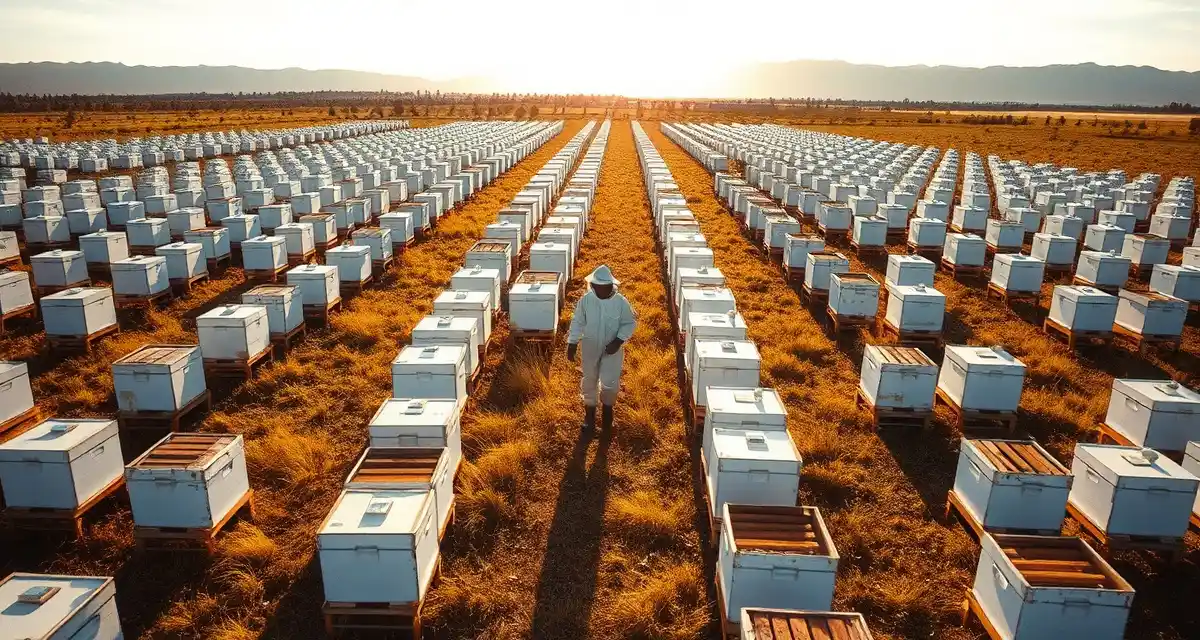
The average commercial pollination beekeeper manages 8 to 30 distinct yard locations per season. At the low end, staying organized is a challenge. At the high end, it's a full-time management job on top of the physical work of moving and managing bees.
Managing multiple yards means tracking where every hive is, when each yard was last visited, what the hive count and condition were at last check, what's coming up for that yard (contract deadline, bloom alert, scheduled move), and which employee or crew is responsible for each location. That's a lot of threads to hold.
Commercial bee yard management software exists specifically to hold those threads so you don't have to.
TL;DR
- Commercial beekeeping operations face two primary management challenges: operational logistics (hive health, transport, placement) and administrative coordination (contracts, payments, documentation).
- Most disputes and revenue losses in commercial beekeeping are preventable with better documentation and clearer contract terms.
- The operations that run most profitably are those with disciplined systems for tracking hive health, contract status, and fleet logistics in one place.
- PollenOps is built specifically for the operational complexity of commercial-scale pollination services, not adapted from a hobbyist tool.
- The most important management decisions (treatment timing, contract renewal, hive allocation) require accurate current data to make well.
What Happens When Yard Management Breaks Down
Hive Tracks Pro offers basic yard management with no contract or bloom integration. That limitation matters more than it might seem. Your yards don't exist in isolation. They're linked to contracts, bloom timing, and move schedules. Tracking yard locations without connecting them to these operational contexts means you're managing a static record of where hives are, not a live management system.
The practical failures of poor yard management are predictable:
Missed move windows. You know bloom is approaching, but you're not sure which yards are still in the pre-move phase and which are already on contract. Hives stay in a yard too long or leave too early.
Count discrepancies. A yard record that hasn't been updated in three weeks shows 80 hives. Twenty of them died from a pesticide incident two weeks ago. You invoice for 80. The grower disputes it.
Scheduling conflicts. Two yard moves scheduled on the same date because no one was tracking the calendar holistically. One move gets pushed, the delivery is late, and you're in breach of contract.
Lost yard history. A grower calls to ask about a site your operation used two years ago for a yield dispute. You have no record. The grower wins the argument.
GPS yard map shows all active yards, hive counts, and upcoming move dates in real time in PollenOps. That single view replaces a spreadsheet, a calendar, and a conversation with your crew every morning.
Core Features of Commercial Bee Yard Management
GPS-Mapped Yard Database
Every yard location is pinned on a GPS map with precise coordinates. When you're adding a new location, you can drop a pin from your phone at the site or enter coordinates from a satellite map. The record is geospatially accurate, not just "County Road 14 near the old Henderson place."
For GPS yard tracking purposes, the GPS record also captures your arrival location when you check in via the mobile app. This creates a verified spatial record: not just a location you entered manually, but a location that was GPS-confirmed on a specific date and time.
Live Hive Count Updates
Every time you check in at a yard and record a hive count, the yard record updates. The yard dashboard shows your most recent count for each location, when it was recorded, and whether it's current (within a defined time window) or stale.
This real-time inventory is connected to your contract records. If you have a contract for 80 hives at a site and your last count shows 74, the system flags the discrepancy. You know about it before the grower does.
Yard Status and Activity Log
Each yard record maintains a full activity log: every visit with date, crew member, hive count, condition notes, and any actions taken (treated for varroa, added feed, removed weak hives, etc.). This isn't just a count record. It's a full field log.
The activity log becomes valuable in multiple scenarios. For state inspection requirements, your inspection records are already organized by yard. For grower disputes about mid-season conditions, your field notes document what was found and when. For your own planning, the history tells you how each yard has performed over time.
Upcoming Move and Event Alerts
Each yard record can have upcoming events associated with it: scheduled move dates, contract delivery deadlines, bloom alerts, required inspection dates. These events appear on your yard dashboard as upcoming items, sorted by date.
When you open PollenOps in the morning, you see what's happening today and this week across all your yards without having to check individual records.
Contract and Yard Linking
Every active contract is linked to one or more yard locations. This linking is what makes PollenOps different from a generic yard management system. You see not just where your hives are, but which contract they're on, what the current payment status is, and when the contract ends.
For hive movement tracking, the move events that transfer hives from one yard to another are logged against both yards: the departing yard and the receiving yard.
Managing Yard Moves
Planning the Move Sequence
Yard moves are the core physical activity of a commercial pollination operation. Planning them well means minimizing empty truck miles, avoiding unnecessary hive stress from excessive transit time, and arriving at each destination when the timing is right for bloom.
PollenOps move planning tools let you build your move sequence from the yard dashboard. Select the origin yard, the destination, the truck, and the move date. The system maps the move and adds it to your schedule calendar.
Executing and Documenting the Move
On move day, the crew checks out of the origin yard in the PollenOps app (records departure GPS, time, and hive count loaded). On arrival at the destination, they check in (records arrival GPS, time, and hive count delivered).
The difference between check-out and check-in counts flags any discrepancy, such as hives that were damaged or died in transit, or a count error in either direction. These discrepancies need to be addressed immediately, not discovered when the invoice is disputed.
Post-Move Follow-Up
After hives are placed, the yard record at the destination shows the new hive count and the move event that placed them there. The origin yard shows the removal event. Both records are linked to the move log, so you can see the complete movement history for any hive load.
Assigning Employees to Specific Yards
If you're managing a crew, yard management includes task assignment. Who's responsible for which yards? Who's doing the check-in at each site this week?
PollenOps beekeeper employee management tools let you assign yard responsibilities to specific crew members. When a crew member checks in at a yard from the mobile app, their name is recorded against the visit. You can see who visited, when, and what they recorded.
For accountability, this visibility matters. You're not relying on crew members to self-report problems. You can see from the dashboard whether a yard has had a recent visit and what was found.
Managing 20+ Yard Locations
Beyond five or six yards, manual management becomes genuinely difficult. Beyond ten yards, it becomes error-prone enough to cost you money.
Bulk yard operations. PollenOps supports bulk updates: marking multiple yards as visited after a team sweep, updating hive counts across a group of yards from a single field session, or applying the same action (treatment, feeding) to a group of locations.
Yard grouping and filtering. Filter your yard dashboard by state, crop type, contract, or status. If you want to see all California yards with active almond contracts, you get that view in one click. You're not scrolling through 30 records to find the five that matter right now.
Bulk yard import. If you're switching to PollenOps from a spreadsheet or another system, bulk yard import lets you add all existing yard locations in under five minutes. You don't have to enter each one manually.
How to Keep Track of Multiple Bee Yard Locations
Use GPS, Not Descriptions
"The Smith farm off Route 9" is not a yard location. A GPS coordinate is. When you're sending a new employee to a yard for the first time, or looking up a yard from two seasons ago, you need precise location data, not a description that requires local knowledge.
Enter GPS coordinates for every yard in PollenOps. The mobile app can capture your current location when you're standing at the yard, so you don't need to look up coordinates separately.
Check In at Every Visit
Every time someone visits a yard, regardless of the purpose, they should check in via the PollenOps app. This creates a visit record with GPS and timestamp even if no other data is updated. The visit log tells you that the yard was checked and by whom.
Update Hive Counts After Every Move
Hive counts get stale quickly when moves happen and records aren't updated. Make it a rule: after every hive move, both the sending yard and the receiving yard are updated in the system before the crew moves on to the next task.
Map All Your Yards Quarterly
At least once per quarter, review your full yard map in PollenOps. Look for yards where no visit has been recorded recently. Look for count discrepancies between your contract records and your yard records. Use this review to identify gaps in your monitoring.
FAQ
How do I keep track of multiple bee yard locations?
Use PollenOps GPS yard database to store precise coordinates for every yard location. Check in via the mobile app on every visit to build a timestamped visit log. Update hive counts after every move so records stay current. Review the yard dashboard weekly to see which locations need attention. The discipline of consistent check-ins and count updates turns the system into a live operational record rather than a static database.
What software helps manage commercial bee yards?
Get Started with PollenOps
Managing a commercial beekeeping operation involves more data, more deadlines, and more moving parts than any general-purpose tool was designed to handle. PollenOps brings contracts, yard records, health documentation, and fleet logistics together in one platform built for the realities of commercial-scale beekeeping.
How do I plan bee yard moves for maximum efficiency?
Start from your move calendar in PollenOps, where all scheduled moves are visible by date with origin and destination yards and hive counts. Build your move sequence to minimize empty truck miles (combine loads where possible) and to align arrival timing with bloom windows. For each move, plan the truck load size based on your equipment capacity and document the move event in PollenOps so both origin and destination records update on the same day. Review your move efficiency quarterly to identify routes that could be combined or sequenced more effectively.
What is the difference between commercial and hobby beekeeping?
Commercial beekeeping is distinguished by scale (typically 100+ hives, often 500-5,000+), revenue source (pollination contracts and bulk honey sales rather than local honey retail), and management approach (systematic protocols applied across yards rather than individual colony attention). Commercial operators manage bees as an agricultural enterprise, with the administrative, regulatory, and logistical complexity that entails. Most commercial operators derive the majority of their income from pollination services; honey production is a supplementary revenue stream.
How many hives are needed to make commercial beekeeping a full-time income?
Most beekeeping economists put the full-time commercial threshold at 500-800 hives, assuming efficient operations management and a combination of pollination and honey revenue. At 500 hives and $200/hive for almond pollination, almond season alone generates $100,000 in gross revenue before expenses. Net margins depend on operational efficiency, but well-run operations can achieve 30-50% net margins on pollination revenue. Additional crops and honey production improve per-hive economics but require additional management capacity.
What is the annual revenue potential for a 1,000-hive commercial operation?
A 1,000-hive operation running an almond season ($200/hive) plus blueberry or apple contracts ($80-100/hive) plus summer honey production ($25-40/hive after extraction costs) can generate $300,000-360,000 in annual gross revenue. Net margins after transport, crew, equipment, and hive replacement costs typically run 25-40% for well-managed operations, putting net income at $75,000-145,000 annually. The specific number depends heavily on circuit efficiency, loss rates, and contract quality.
Try These Free Tools
Sources
- USDA Agricultural Research Service
- Bee Informed Partnership
- American Beekeeping Federation (ABF)
- American Honey Producers Association
- Project Apis m.
Your Yards, Organized
Commercial bee yard management is a logistics problem with biological constraints. The hives need to be at the right place at the right time, in the right condition, with the right documentation.
PollenOps gives you the dashboard to see all of it at once. Every yard, every count, every upcoming move on a GPS map that updates as your operation moves.