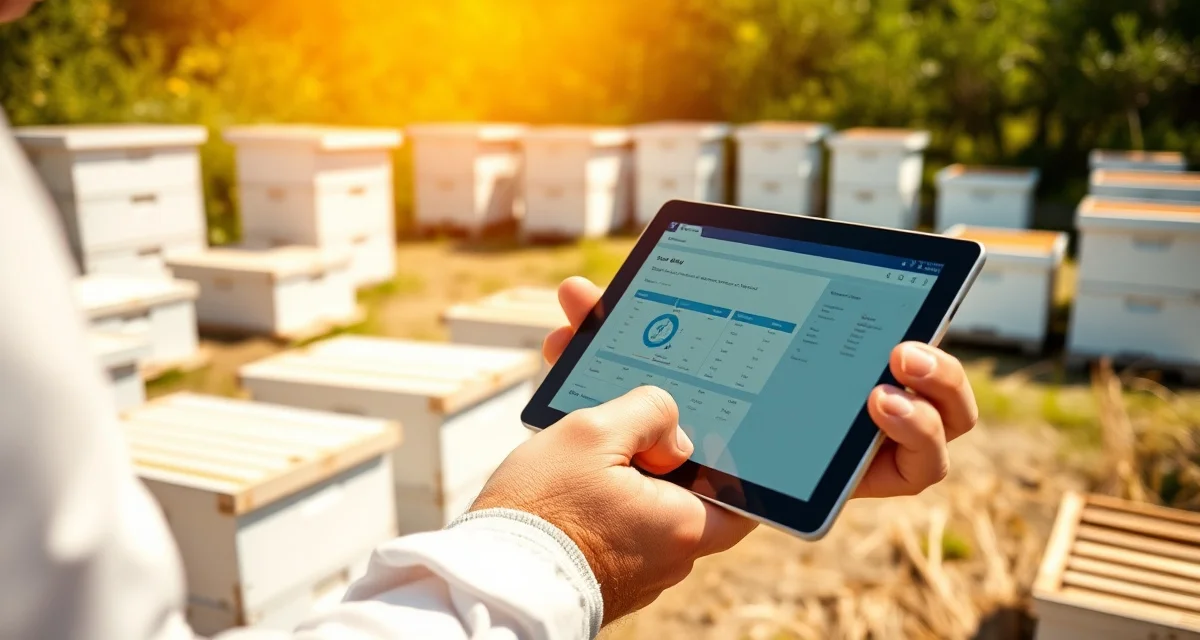
PollenOps Mobile App for Field Beekeeping Management
Over 70 percent of PollenOps field data is captured on mobile devices rather than desktop browsers. That ratio reflects a basic reality of commercial beekeeping: the work happens at the yard, and the data should be captured where the work is happening rather than reconstructed at a desk at the end of the day from memory and handwritten notes.
The PollenOps mobile app for iOS and Android puts contract management, hive inspection recording, GPS yard tracking, and grower report generation in the field with your drivers and inspectors. Data captured in the app syncs to your PollenOps account in real time when connected, and stores locally for sync when offline in remote yard locations.
TL;DR
- Commercial beekeeping operations that manage contracts on spreadsheets and phone calls spend 5-10 hours per week on administrative tasks that software handles automatically.
- Purpose-built beekeeping software centralizes contract lifecycle management, yard records, health documentation, and fleet logistics in one platform.
- The primary ROI drivers for operations software are fewer contract disputes, faster invoicing, and reduced time spent on administrative coordination.
- PollenOps is built specifically for commercial-scale pollination operations; it is not a hobbyist platform adapted for commercial use.
- Moving from spreadsheets to dedicated software typically pays for itself within one season in time savings and dispute prevention.
Core App Features
GPS yard check-in: When you arrive at a yard, open the contracted location in the app and tap check-in. The app records your GPS coordinates, timestamps the arrival, and logs the visit against the contract record. For delivery visits, the check-in creates the delivery confirmation record that satisfies contract documentation requirements and generates the grower delivery report.
Hive count recording: Enter the hive count at the yard during your check-in visit. The app compares your entered count against the contracted count and flags any discrepancy. If you delivered 98 hives against a contract for 100, the app prompts you to document the reason (2 colonies below strength, replacement scheduled, etc.) so the record is complete at the time of delivery rather than requiring a retroactive explanation.
Strength assessment: Record frame of bees, frame of brood, and queen status for individual colonies or in batch. The strength assessment workflow in the app walks through the contracted metrics so you don't miss a required data point during a yard walk. Results sync to the pre-move assessment record or the in-season inspection record depending on the visit type.
Photo capture: Take geo-tagged photos directly in the app. Photos link automatically to the current yard visit and the associated contract. Photo documentation of hive condition, bloom stage at the site, or unusual colony observations (pesticide symptoms, disease signs) is tied to the GPS location and timestamp of the visit.
Driver route view: Drivers assigned to a route see their yards, delivery sequence, and check-in requirements in their app view. The operator assigns deliveries from the desktop dashboard; drivers execute from the app without needing to call in for instructions on each yard.
Offline Operation
The PollenOps mobile app runs fully offline in areas without cell coverage. When offline, the app uses the locally stored yard and contract data to present the check-in and inspection workflows without a connection. All data you enter offline stores in a local sync queue and uploads automatically when connectivity returns.
For remote agricultural areas like dry-land wheat country in Montana, river bottoms in Oregon, and benchland orchards in eastern Washington, offline operation is the routine mode rather than the exception. Your drivers should expect to work offline for extended periods and trust that their data will sync when they return to coverage.
The app shows a sync status indicator in the main navigation that confirms whether recent data has synced successfully. After any extended offline session, check the sync indicator when coverage returns to confirm the upload completed.
Syncing with Contract Records
The mobile app connects to your live PollenOps contract data. When a delivery is completed through an app check-in, the contract record updates in real time: delivery status changes from pending to delivered, the grower's portal view updates, and the invoice generation workflow is triggered for contracts with automatic invoicing enabled.
This real-time sync means you're not managing two separate records (a paper field log and a desktop contract system) that need to be reconciled later. The field data is the contract record. Accuracy in the field translates directly into accuracy in your invoices and grower reports without a manual transfer step.
For the full GPS feature documentation, see GPS yard tracking. For yard management across your full operation, see commercial bee yard management.
Multi-Driver Support
The commercial plan allows multiple employee accounts with role-based access. Each driver logs into the app with their own credentials and sees only the yards and deliveries assigned to them. Operators see all driver activity across the full operation from the desktop dashboard.
This structure means a 3-truck operation can have 3 drivers working simultaneously at different yards, each capturing their own check-in and inspection data, while the operator monitors all three routes from a central view. No phone calls to check delivery status, no end-of-day data reconciliation from paper logs.
Frequently Asked Questions
What features are available in the PollenOps mobile app?
The PollenOps mobile app includes GPS yard check-in with automatic timestamp and contract linking, hive count recording against contracted quantities, colony strength assessment with frame count and queen status fields, geo-tagged photo documentation, driver route view with assigned yard queue, offline data capture for remote areas, and automatic sync to your PollenOps account when connectivity returns. Both iOS and Android versions have the same feature set. The app connects to your live contract data, so delivery check-ins update contract status, trigger grower portal updates, and initiate invoice generation without separate desktop entry.
Does the PollenOps app work on Android and iPhone?
Yes. The PollenOps mobile app is available for both iOS (iPhone) and Android devices. Both versions have identical features. The app is optimized for use with gloves and in bright outdoor lighting, which matters for beekeeping field use. The offline mode functions the same on both platforms: data captured without connectivity stores locally and syncs automatically when a connection is established. If you have drivers with different devices, all can use the PollenOps app on their respective platforms without feature differences.
Can I manage contracts from the PollenOps mobile app?
You can view contract terms, check delivery status, and complete delivery check-ins from the mobile app. Creating new contracts and editing contract terms is done through the desktop interface rather than the mobile app. The app is optimized for field execution (completing deliveries, recording inspections, capturing photos) while the desktop is optimized for contract setup, scheduling, and reporting. For an operator who works in the field daily, the app provides everything needed to manage the field side of your contracts. Back-office functions like setting up new contracts, running revenue reports, and managing invoices are best handled from the desktop.
What does purpose-built commercial beekeeping software do that a spreadsheet cannot?
Dedicated software connects data across your operation in ways spreadsheets cannot: a contract record links to the specific hives assigned to it, which links to the yard location, which links to health inspection records and treatment logs. When a grower calls to dispute a hive count, you can pull the delivery record, timestamped photos, and GPS-confirmed location in 30 seconds rather than searching three spreadsheets and an email thread. This integration is where the time savings and dispute-prevention value comes from.
How long does it take to migrate from spreadsheets to beekeeping software?
Most commercial operators complete the core migration in 2-4 weeks, starting with current contract records and active yard locations. Historical data (past seasons' inspection records, old contracts) can be migrated over time rather than all at once. The practical recommendation is to start with the current season's live data and add historical records as time allows. The operational improvement from having current data in the system is immediate; the historical data adds analytical depth over subsequent seasons.
Is there a free trial available for PollenOps?
Contact PollenOps directly to confirm current trial and demo options. Most commercial operators benefit from a walkthrough of the contract management and yard tracking modules against their own operation's data before committing, since the fit between the platform and your specific circuit and crop mix is the most important evaluation factor.
Try These Free Tools
Sources
- USDA Agricultural Research Service
- Bee Informed Partnership
- American Beekeeping Federation (ABF)
- American Honey Producers Association
- Project Apis m.
Get Started with PollenOps
Commercial beekeeping operations that move from spreadsheets to purpose-built software consistently report fewer disputes, faster invoicing, and less time on administrative work during peak season. PollenOps is built specifically for commercial-scale pollination operations. See how the platform fits your operation.