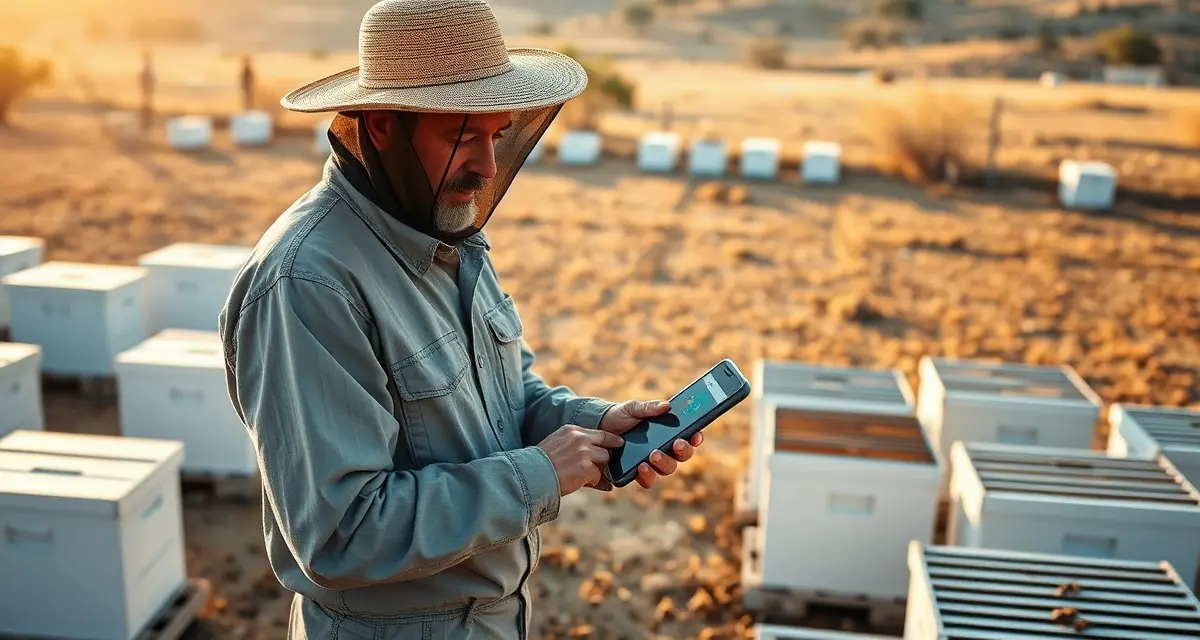
GPS App for Commercial Beekeepers
Sixty percent of commercial bee yards are located in areas with unreliable or no cell coverage. Agricultural areas (the remote benchlands, river bottoms, and dry-land farming country where most commercial bee yards sit) routinely have no signal. An app that requires a cell connection to record a GPS pin or log a hive count is an app that fails exactly where you need it most.
PollenOps GPS works offline. When you drive into a remote yard without cell service, the app captures your GPS location, your hive count, and your inspection notes without a data connection. When connectivity returns (on the highway, in town, or back at the shop), everything syncs automatically to your account without any action required.
TL;DR
- Moving 1,000 hives to almonds requires 2-3 truck loads, with fuel costs of $3,500-5,000 per run at current California diesel prices.
- Loading at night when bees are clustered inside reduces escape and minimizes defensive behavior during transport.
- GPS-confirmed yard coordinates, not just addresses, should be in every contract to prevent access failures on delivery night.
- load planning that sequences multiple drops on a single truck run reduces total miles driven per hive.
- fleet logistics coordination -- vehicle assignments, load manifests, and crew scheduling -- requires a structured system at 500+ hives.
What the GPS App Captures
At every yard visit, the PollenOps mobile app records:
GPS coordinates: Precise location pin for the yard, accurate to within a few meters. The pin marks the exact location of your hive stack for repeat visits and for sharing with employees who haven't been to that yard before.
Hive count: Current count at the yard, updated against your contracted hive count for any active contract. If your count falls below the contracted minimum, the app flags the discrepancy.
Inspection notes: Field observations including colony strength assessment, queen status, brood pattern, and any issues (pesticide symptoms, disease signs, unusual bee behavior). Notes are timestamped and location-tagged automatically.
Photos: Geo-tagged photos linked to the yard record. Photos taken at the yard are automatically associated with the GPS pin and the visit timestamp.
Move logs: When hives depart a yard, record the move with origin GPS, destination GPS, hive count, and move date. The transport log updates automatically when a move is completed.
Offline Operation in Remote Yards
The offline mode in PollenOps uses local storage on your device to capture all field data when no connection is available. The sync queue holds your data locally until a connection is established, then uploads everything in order. You can see what's queued for sync in the app status bar.
For operators working in areas with inconsistent coverage (common in the intermountain west, the northern plains, and agricultural areas across the Southeast), the offline mode is the baseline operating mode rather than a fallback. Your drivers should understand that everything they enter offline will sync when they return to connectivity, and that they should check their sync status when coverage returns to confirm the upload completed.
Battery management matters for remote field work. Extended offline sessions that capture multiple yards before syncing draw more battery than connected sessions. Ensure your drivers have portable chargers or vehicle chargers for full-day field operations.
Sharing GPS Locations with Employees
One of the consistent friction points in multi-driver operations is getting drivers to yards they haven't visited before. A hand-written description of "turn left past the grain elevator, then half a mile on the dirt road" is unreliable at scale. A GPS pin shared directly to the driver's PollenOps app is not.
When you enter a new yard in PollenOps, the GPS pin is available to all employees with yard access permissions in your account. A driver assigned to that yard can open it in the app, tap the location, and navigate to the precise GPS coordinates using their phone's native maps app. No transcription, no ambiguity, no time spent on the phone explaining directions.
For multi-driver operations with 10 or more yards per route, this navigation integration reduces the time lost to wrong turns and missed locations enough to make a measurable difference in daily delivery completion rates.
The GPS yard tracking documentation covers advanced yard management features. For the full suite of yard management tools, see commercial bee yard management.
GPS Documentation for Contract Compliance
GPS records in PollenOps create a time-stamped location history for every hive delivery and pickup. This record has specific value in contract compliance situations:
Delivery confirmation: A GPS check-in at the contracted yard location at the contracted time is documented proof that you delivered. If a grower later disputes the delivery date or claims hives arrived late, the GPS timestamp is your evidence.
Hive count at delivery: The hive count recorded at the GPS check-in is associated with the contract record for that yard. The count, time, and location are a single documented record of what was delivered, when, and where.
Route optimization: Your cumulative GPS data shows your actual delivery routes over time. This data is useful for identifying inefficient routing patterns and planning more efficient sequences for future seasons.
Frequently Asked Questions
What GPS features does the PollenOps mobile app include?
The PollenOps mobile app includes GPS yard pinning (precise location recording for each yard), offline GPS data capture, navigation integration with native maps apps, geo-tagged photo documentation, GPS-linked transport logs for hive moves, and GPS check-in verification for contract deliveries. Yard GPS pins are shared across your entire team so all employees with access to a yard record can navigate to the same precise location. The app captures GPS coordinates at each yard visit automatically; you don't need to manually enter coordinates or copy location data from a separate maps app.
Does the PollenOps app work without a cell signal?
Yes. PollenOps offline mode captures yard visits, hive counts, GPS pins, photos, and inspection notes without a data connection. All data is stored locally on your device and syncs automatically when connectivity returns. For remote agricultural areas where cell coverage is unreliable, offline mode is the default operating environment rather than an exception. Check the sync queue status indicator in the app when you return to coverage to confirm that your offline data has uploaded successfully. If a sync fails (for example, if the app was closed before syncing completed), the data remains in the local queue until the next successful connection.
How do I share GPS yard locations with my employees through the app?
GPS yard locations in PollenOps are visible to all employees with access to that yard in your account. When you assign a driver to a yard delivery, the yard's GPS pin is available in the driver's app view under their assigned deliveries. The driver can tap the location pin to open navigation in their phone's maps app, routing directly to the yard's precise GPS coordinates. For new yards, enter the GPS pin when you establish the yard record in PollenOps, and it's immediately available to any team member with that yard's access permissions. You can also share individual yard location links directly to a driver's phone for one-off navigation without requiring the driver to navigate through the full app.
What is the standard approach for loading hives for overnight transport?
Load at night when bees are clustered inside, after temperatures have dropped below 60 degrees Fahrenheit. Secure entrances with foam or screened netting to prevent bee escape during transit. Use ventilation boards between layers for stacked hives to prevent heat buildup. Drive overnight to take advantage of cooler temperatures, which reduces stress on colonies during transport. Confirm GPS coordinates and truck access routes for every delivery yard before departure.
How do you track fleet movements and hive assignments across multiple delivery stops?
The practical requirement is a system that connects each truck assignment to specific hive pallets, which connect to specific yard locations, which connect to specific grower contracts. Paper manifests and phone calls work for a single delivery, but a 20-yard almond placement across 10 growers and 3 trucks requires digital coordination. PollenOps fleet module tracks load assignments, delivery sequencing, and yard confirmation in the same system as your contracts and health records.
What DOT requirements apply to commercial beekeeping trucks?
Commercial beekeeping vehicles hauling hives are subject to DOT regulations for commercial motor vehicles, including driver hours of service requirements, commercial driver license requirements for vehicles over 26,001 pounds GVWR, and vehicle inspection requirements. Some states have additional agricultural exception provisions that may apply to beekeeping operations. Consult with a transportation compliance specialist familiar with agricultural operations before your first large-scale move.
Try These Free Tools
Sources
- USDA Agricultural Research Service
- Bee Informed Partnership
- American Beekeeping Federation (ABF)
- USDA Animal and Plant Health Inspection Service (APHIS)
- American Honey Producers Association
Get Started with PollenOps
Moving hundreds of hives across multiple counties or states requires logistics coordination that goes beyond what a spreadsheet can manage reliably. PollenOps handles load planning, route scheduling, and crew assignments alongside your contract and yard records so your fleet operations are organized before the truck rolls.